Photos
Mend, sharpen, cut out and tidy up pictures.
Hi, I’m Dave. I help at home and at work.
webdave is a free set of browser tools. Photos, PDFs and file conversion for everyday. Email, DNS and domain checks for work.
Photos, PDFs, video and any file.
Email, DNS, domains, IPs and files in bulk.
Old photos, forms to sign, a video to cut, a file that won’t open.
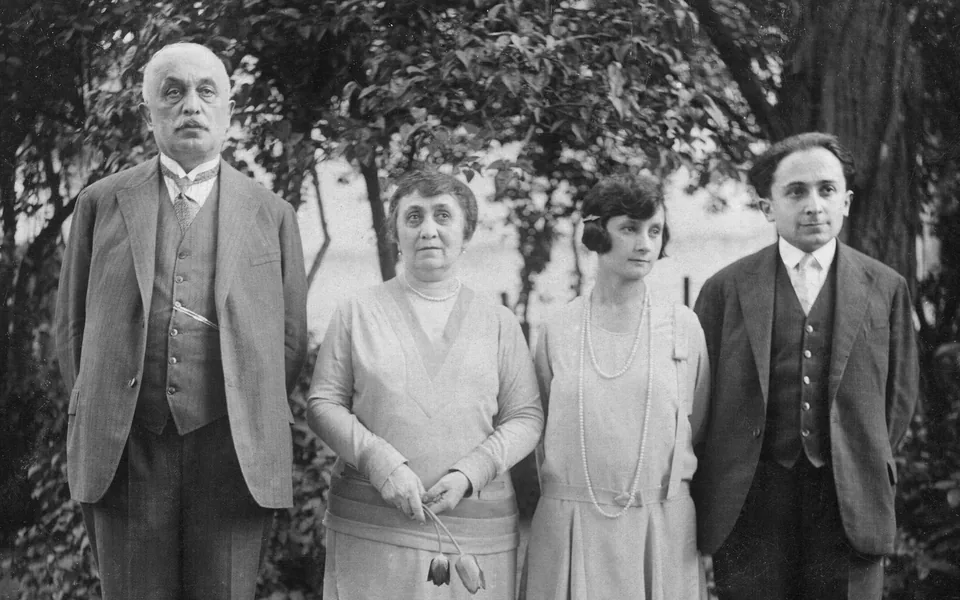
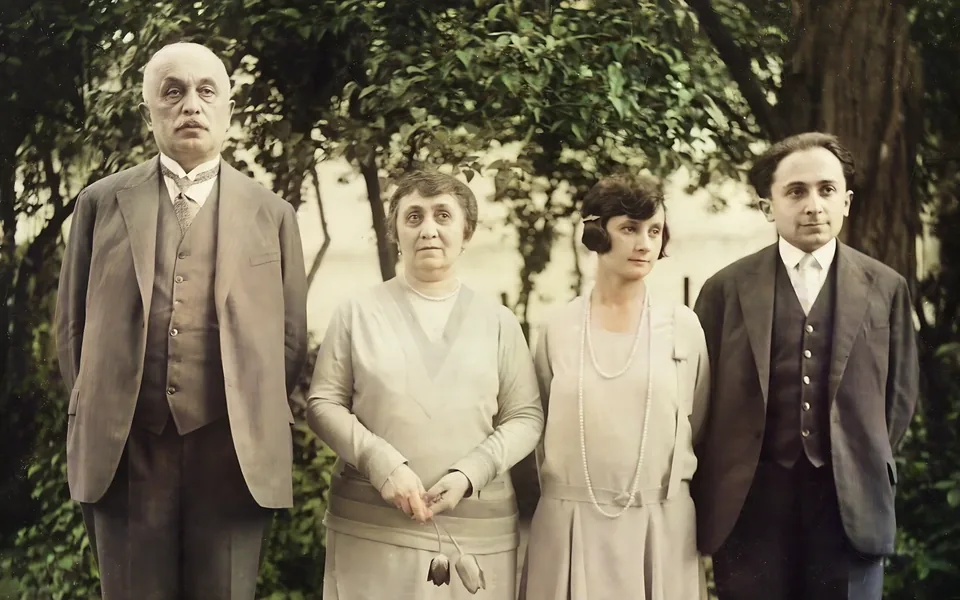
Mend cracks and dust, sharpen faces and add colour. This one took 29 seconds, on the processor alone.

 Original
PNG, see-through
Original
PNG, see-through
Cut out the subject at full size, down to each feather, and tidy the edge with a brush.
Interviews, meetings and videos as text or subtitles, in 99 languages.
Every everyday tool
Mend, sharpen, cut out and tidy up pictures.
Merge, split, compress, sign and protect.
Record, trim, transcribe and split songs.
Open anything, convert it, work out units.
Chat, summarise and read text, with AI on your device.
Checks you can run in a minute, and tools you can send to the people you help.
It opens in their browser with nothing to install, and their files stay with them.
File viewerEvery client’s mail setup in one table, saved as CSV or printed.
Email health checkSnapshot every record, export a zone file, then compare the new host against it.
DNS migration checkNames, emails and ID numbers found and cut out, and the saved file checked again.
Find personal dataEvery work tool
Find out why mail bounces or lands in spam.
Addresses, owners and names still free.
Redact, flatten and clean files before they leave.
Many files, big files, files for testing.
The sites you keep for one job each, here in one place.
Instead ofiLovePDFSmallpdf
Merge, split, compress and sign. Redaction cuts the text out of the file and checks the saved copy again.
Instead ofMXToolbox
MX, SPF, DKIM, DMARC and blacklists in one report, with what to change when something is wrong.
Instead ofremove.bgphoto AI apps
The models run on your computer, so there is no queue and nothing to buy per picture.
Instead ofCloudConvertconverter sites
Drop a file and pick what it should become. Batch runs many through the same steps and saves a ZIP.
Who gets what when you use a tool, in three steps.
Check it yourself: open your browser’s network tab and drop in a file.
Something else? Every tool says what it does with your file, right where you use it.
webdave is a free set of tools that run in your web browser. For everyday: photo fixes, PDF tools, file conversion, video and audio, and AI on your device. For work: checks for a domain’s email, DNS, blacklists, IP addresses and WHOIS. No account, no ads, nothing to install.
No. Tools that work on files open them, change them and save them in your browser, so the file stays on your device.
Only what you type, straight from your browser to public services such as Cloudflare’s DNS and the domain registries. Each tool names who it asked. A few domain endings and the SEO checker’s page fetches go through a webdave relay, because a browser cannot ask those directly.
Yes, with no account. The email health check takes up to 50 domains at once and saves the results as CSV, and you can send anyone a link to a tool: it runs in their browser with nothing to install.
Yes. Every tool is free, with no watermark, no ads, no sign-up and no limit per day.
No. Any up-to-date browser on a computer or phone works. AI tools download their model the first time and keep it for next time.
Dave is the friend who lives in the tools. He tells you what he is doing with your file, and when something goes wrong, what to try next.
Free, no account, in the browser you already have.
Or browse every tool